<!doctype html>
Cute Fonts Generator
Type your text and copy stylish fonts for Instagram, TikTok, Discord, bios, captions, and usernames.
About This Cute Fonts Generator
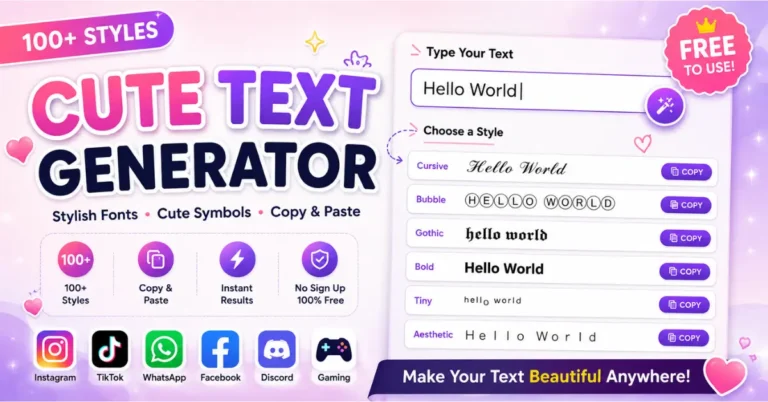
This Cute Fonts Generator helps you change normal text into stylish, fancy, and creative text styles. You can type your words once and get many cute font options that are ready to copy. It is useful for Instagram bios, TikTok captions, Facebook posts, WhatsApp status, Discord names, gaming profiles, and short messages.
The styles you see in this tool are made with Unicode characters. They are not font files that you need to install on your phone or computer. Because of this, you can copy the generated text and paste it into many apps, websites, and social media platforms.
This page is made for users who want a quick and simple way to make their text look different. You do not need design skills, coding knowledge, or any special software. Just type, copy, and paste.
How to Use the Cute Fonts Generator
Using the tool is very easy. Start by typing your name, caption, bio, quote, or message in the text box. The tool will create different cute font styles below the box. You can scroll through the styles, choose the one you like, and click the copy button.
- Type your text in the input box.
- Look at the generated font styles.
- Click the copy button next to your favorite style.
- Paste the copied text into your profile, post, caption, or message.
For the best result, keep your text short. Cute fonts look better on names, headings, short bios, and small captions. Long paragraphs can become hard to read when too many fancy characters are used.
Where You Can Use Cute Fonts
You can use cute fonts in many places where copied Unicode text is allowed. Most people use these styles to make their online profiles look more personal and fun. They can also help a short line stand out without using images or extra editing apps.
- Instagram bio, captions, comments, and highlight names
- TikTok profile names, captions, and comments
- Facebook posts, profile names, and page text
- WhatsApp status, names, and short messages
- Discord usernames, server names, and channel text
- YouTube descriptions, comments, and channel names
- Pinterest titles, profile text, and pin descriptions
- Gaming usernames, clan names, and profile names
Why Cute Fonts Are Popular
Cute fonts are popular because they make simple text look more stylish. A plain name or caption can look more creative with a soft, bold, cursive, bubble, or symbol-based style. Many users like these fonts because they help their social media profile feel different from normal text.
They are also quick to use. You do not need to open a design app or create an image. The generated text can be copied in seconds and used anywhere that supports these characters.
Best Ways to Use Cute Text Styles
For Instagram Bios
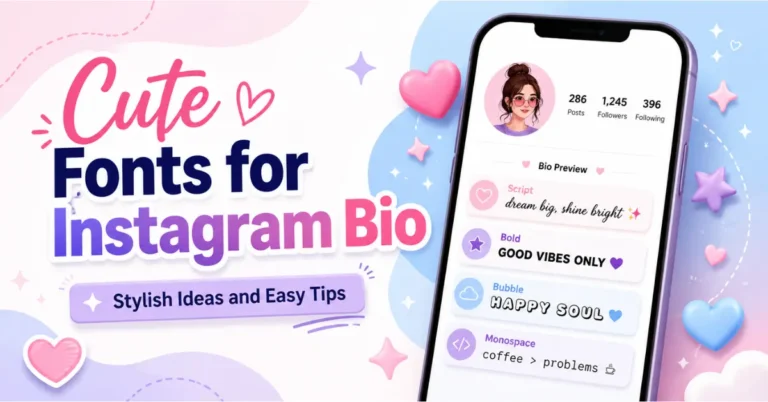
A short stylish line in your Instagram bio can make your profile look cleaner and more personal. You can use a cute font for your name, a small quote, or a short intro line.
For Captions and Comments
Cute fonts work well for short captions, birthday wishes, friendly comments, and aesthetic quotes. They can make a simple line look more expressive.
For Usernames and Nicknames
You can test different styles before choosing a username or nickname. Some apps may not accept every special character, so it is good to copy the style and check it before saving your name.
For Gaming Profiles
Many gamers use stylish text for player names, clan names, and profile bios. Simple decorative styles can make a name look more unique while still staying readable.
Tips for Better Results
- Use short words or short lines.
- Choose a style that is easy to read.
- Do not add too many symbols in one name.
- Use clean styles for professional profiles.
- Use decorative styles for fun posts and casual profiles.
- Check the text on mobile before final use.
If a style does not show correctly on your device, try another one. Some phones, browsers, and apps support Unicode characters differently. This is normal and does not mean the tool is broken.
Are These Real Fonts?
These are Unicode text styles, not normal font files like Arial, Poppins, or Times New Roman. A normal font changes how letters look on one website or device. Unicode text uses special characters that can be copied and pasted as text.
This is why the generated styles can work across many platforms. Still, some apps may block or change a few characters, so always check your final text after pasting it.
Privacy and Safety
You should avoid typing private information such as passwords, bank details, personal IDs, or private messages into any online tool. For names, captions, bios, and public text, this generator is simple and safe to use.
Frequently Asked Questions
What is a cute fonts generator?
A cute fonts generator is an online tool that changes normal text into stylish Unicode text. You can copy the result and paste it into bios, captions, comments, messages, and usernames.
Is this tool free?
Yes, this tool is free to use. You can generate stylish text and copy it without creating an account.
Can I use these fonts on Instagram?
Yes, many styles work in Instagram bios, captions, names, and comments. If one style does not show correctly, try another style from the list.
Do I need to install anything?
No. You do not need to install an app or font file. The tool works online and gives you copyable text.
Why do some characters show as boxes?
This can happen when a device or app does not support a specific Unicode character. Pick a simpler style if this happens.
Can I use cute fonts for usernames?
Yes, but some platforms may not accept every special character. Paste the style into the username field first and check if the app allows it.
Are cute fonts good for long paragraphs?
Cute fonts are better for short text. For long articles or full paragraphs, normal readable text is usually better.
Can I use this tool on mobile?
Yes, the tool is mobile-friendly. You can type, copy, and paste text from your phone.
Best Free Font Generator – Stunning Fancy Text You’ll Love
In today’s digital world, standing out on platforms like Instagram, TikTok, WhatsApp, and Facebook is more important than ever. Whether you are a content creator, influencer, blogger, or social media marketer, using a font generator tool can instantly boost your content’s visual appeal.
This advanced Unicode font generator allows you to convert plain text into stylish text, fancy fonts, aesthetic symbols, and decorative typography. You can copy and paste these styles anywhere, including bios, captions, usernames, and comments.
What Is a Font Generator
A font generator is an online text styling tool that transforms normal text into Unicode symbols and fancy text styles. Instead of using actual font files, it relies on the Unicode Standard, which ensures compatibility across all devices and platforms.
These generated styles are often called:
- Fancy text generator
- Stylish text generator
- Instagram font generator
- Copy and paste fonts tool
Because they are Unicode-based, they work seamlessly across Android, iOS, Windows, and web browsers.
Key Features of This Font Generator
Live Text Preview
This real-time font generator instantly converts your input text into multiple styles. As you type, you can preview different typography variations, helping you choose the best design for your content.
Adjustable Preview Size
You can control font preview size from 12px to 48px. This feature is useful for testing readability, UI appearance, and mobile responsiveness before publishing.
Favorite Styles
Save your preferred styles using the favorite option. This improves workflow efficiency, especially for content creators, influencers, and branding specialists.
One-Click Copy
Each generated font comes with a copy button. With a single click, your styled text is copied and ready for use in social media marketing, digital branding, and messaging apps.
Mobile Friendly Design
The tool is fully responsive and optimized for mobile devices, making it ideal for users working on smartphones and tablets.
Font Categories Available
This tool includes multiple categories designed for different use cases and aesthetics.
Stylish Fonts
Includes classic Unicode typography styles such as bold, italic, serif, sans-serif, gothic, monospace, and small caps. These are widely used for professional bios and branding text.
Cool and Unique Fonts
This category includes creative text transformations such as:
- Circled text
- Bubble letters
- Glitch text generator
- Upside-down text
- Leet speak styles
These styles are popular in gaming usernames, Discord servers, and creative content.
Decorated Text
Decorative styles include symbols like stars, hearts, and flowers placed between characters. These are ideal for aesthetic captions and Instagram bios.
Line and Overtext Styles
Includes underline, strikethrough, and overline effects. These are useful for highlighting text, emphasizing words, and creating visual hierarchy.
Wrapped and Framed Styles
These styles wrap your text in decorative elements such as borders, crowns, and symbols. Perfect for call-to-action text, headings, and branding highlights.
Instagram and TikTok Styles
Specially optimized for social media engagement, these styles follow modern trends like soft aesthetic fonts, glow effects, and Y2K-inspired typography.
Dark and Gothic Styles
These styles feature bold and mysterious typography, often used in gaming profiles, edgy content, and alternative branding.
Baddie and Luxe Styles
High-impact fonts designed for luxury branding, influencer profiles, and bold statements. Often paired with symbols like diamonds and crowns.
Aesthetic and Nature Styles
Soft and minimal styles inspired by nature elements. These are popular in lifestyle blogs, wellness content, and aesthetic pages.
Border Styles
Framed text styles that create structured and eye-catching content. Useful for headings, banners, and featured text sections.
Block Bold Styles
Emoji-based block fonts that create strong visual impact. Ideal for announcements, headlines, and attention-grabbing content.
Where You Can Use These Fonts
These Unicode text styles are compatible with all major platforms, including Twitter (X), YouTube, Discord, and LinkedIn.
You can use them for:
- Social media bios and captions
- Usernames and display names
- Chat messages and status updates
- Blog headings and website content
- Digital marketing campaigns
How to Use the Font Generator
Start by entering your text into the input box. The tool will instantly generate multiple styled versions. Browse through the options and preview them. Adjust the size if needed to check readability. Once you find a suitable style, copy it and paste it wherever you want to use it.
Why Unicode Fonts Work Everywhere
The reason these fonts work across all platforms is because they are based on the Unicode encoding system. Unicode is supported globally and ensures consistent text rendering across devices.
When you copy styled text like aesthetic fonts or fancy symbols, they remain intact whether viewed on Android, iOS, or desktop systems.
SEO and Branding Benefits of Using Font Generator
Using stylish fonts is not just about aesthetics. It also improves:
- User engagement on social media
- Click-through rates in posts and bios
- Personal branding and identity
- Content visibility and uniqueness
For influencers and marketers, this becomes a powerful tool in social media optimization (SMO) and content marketing strategies.
Tips for Best Results
Short and clean text works best with decorative styles. Avoid overusing symbols to maintain readability. Test your styled text across different platforms to ensure consistency. Save frequently used styles for faster access and better workflow.
Frequently Asked Questions About Font Generator
Find quick answers to common questions about using a Font Generator
What is a Font Generator?
A Font Generator is an online tool that converts normal text into stylish Unicode fonts that can be copied and pasted anywhere.
How does a Font Generator work?
A Font Generator replaces standard letters with Unicode characters that look like stylish fonts but work on all devices and platforms.
Is a Font Generator free to use?
Yes, most Font Generator tools are completely free and require no sign-up or installation.
Can I use Font Generator on Instagram and TikTok?
Yes, Font Generator works perfectly on platforms like Instagram and TikTok for bios, captions, and comments.
Are Font Generator fonts real fonts?
No, these are Unicode characters that look like fonts but are actually symbols supported by all modern devices.
Can I use stylish fonts in usernames?
Some platforms allow Unicode in display names, but restrictions may apply for usernames. It’s best to test before using.
Why do Font Generator fonts work everywhere?
Font Generator fonts work everywhere because they use Unicode, which is supported across all devices, apps, and browsers.
Conclusion
The Font Generator Tool is an essential solution for anyone looking to enhance their digital presence. Whether you are working in social media marketing, branding, content creation, or SEO, this tool helps you create eye-catching and engaging text effortlessly.
With a wide variety of styles and instant copy-paste functionality, it gives you complete control over how your content looks and feels online.