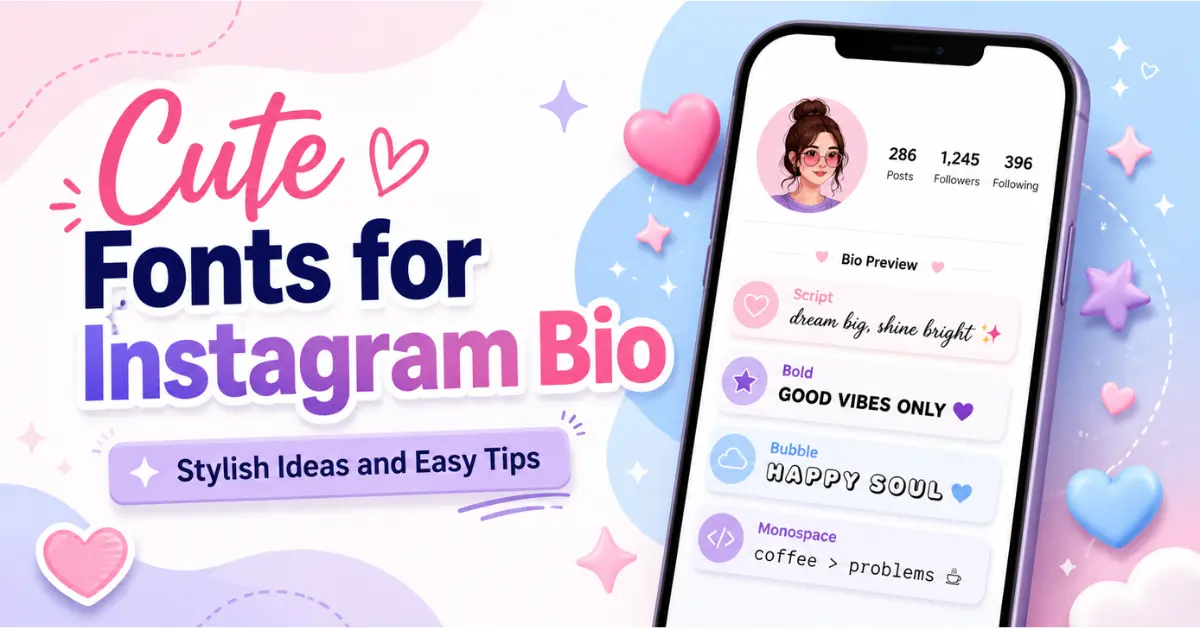
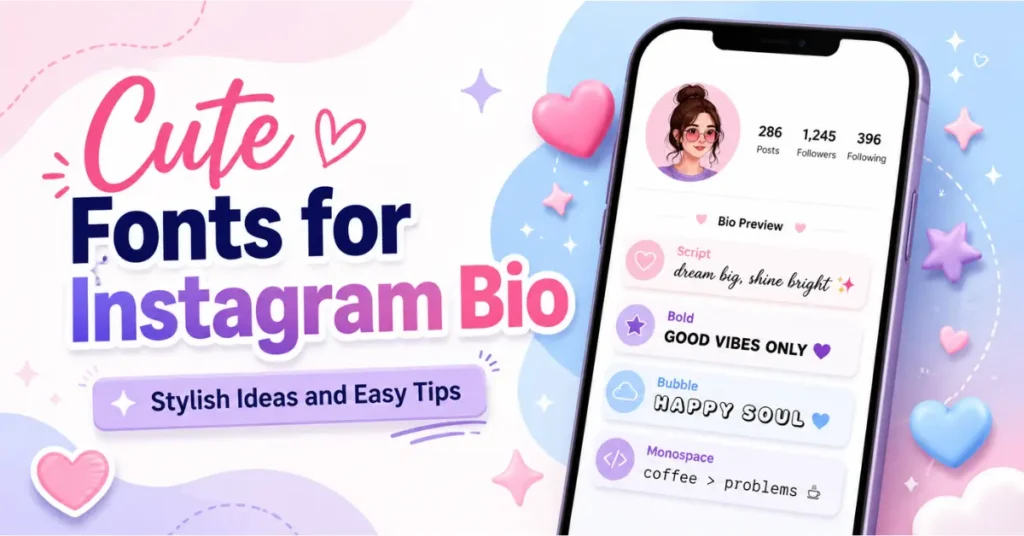
Cute Fonts for Instagram Bio – Stylish Ideas and Easy Tips
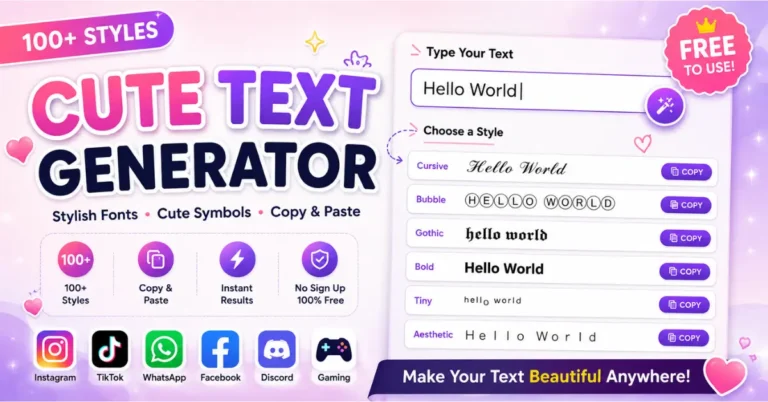
Your Instagram bio is one of the first things people see when they visit your profile. It tells them who you are, what you share, and why they may want to follow you. A plain bio can work well, but a stylish bio can make your profile look more personal and creative. Want to see how your own bio will look before updating Instagram? Try our cute font generator and create a stylish bio in seconds.
That is why many people use cute fonts for Instagram bio. These fonts help you make your name, quote, hobby, brand line, or profile message look different. You can use them to create a soft, fun, bold, aesthetic, or classy look.
But here’s the thing. Cute fonts should make your bio better, not harder to read. If your bio looks stylish but people cannot read it, it will not help. A good bio should be clear first and stylish second.
In this guide, you will learn what cute fonts for Instagram bio fonts are, why they matter, how to use them, where to place them, and what mistakes to avoid. You will also get easy examples that you can copy, edit, and use.
What Are Cute Fonts for Instagram Bio?
Cute fonts for Instagram bio are stylish text designs that you can copy and paste into your Instagram profile. These fonts are usually made with Unicode characters. Unicode is a text system that lets special letters and symbols appear on many apps and devices.
For example, normal text looks like this:
Cute Bio
A cute font version may look like this:
𝒞𝓊𝓉𝑒 𝐵𝒾𝑜
Or like this:
ⓒⓤⓣⓔ ⓑⓘⓞ
Instagram does not offer many built-in font styles for bios. So users often use online font generator tools. You type your normal text, choose a style, copy it, and paste it into your cute fonts for Instagram bio.
These fonts are often used for:
Names
Short quotes
Hobby lines
Creator bios
Business names
Aesthetic profile text
Love and friendship bios
The goal is simple. You want your bio to look more attractive while keeping it easy to read.
Mini Cute Font Preview Tool
Type your Instagram bio text and preview it in cute styles.
Preview
Why Instagram Bio Fonts Matter
Instagram is a visual platform. People judge profiles fast. A clean photo, clear name, and stylish bio can make a strong first impression. Your bio does not need to be perfect, but it should feel neat and personal.
Cute Fonts for Instagram bio fonts matter because they can help your profile stand out. A stylish font can make a simple line feel more creative. It can also show your mood or personality.
For example:
Normal bio:
Beauty | Lifestyle | Daily Vibes
Styled bio:
𝗕𝗲𝗮𝘂𝘁𝘆 | 𝗟𝗶𝗳𝗲𝘀𝘁𝘆𝗹𝗲 | 𝗗𝗮𝗶𝗹𝘆 𝗩𝗶𝗯𝗲𝘀
The second version looks stronger. It may catch attention faster.
Still, you should not use fancy text everywhere. Your bio has limited space. Every word should have a job. Use stylish fonts for the line you want people to notice most. Keep the rest simple.
A good cute fonts for Instagram bio usually answers three questions:
Who are you?
What do you share?
What should visitors do next?
Cute fonts can support these answers, but they should not hide them.
Best Cute Font Styles for Instagram Bios
There are many cute font styles you can use in your Instagram bio. Each style gives a different feeling. The best style depends on your profile type.
Here is a simple table:
| Font Style | Best For | Readability |
| Script fonts | Beauty, love, soft bios | Medium |
| Bold fonts | Creators, business, personal brands | High |
| Bubble fonts | Fun and playful profiles | Medium |
| Monospace fonts | Clean and aesthetic bios | High |
| Symbol fonts | Decorative lines | Low to medium |
Script Fonts
Script fonts look soft and pretty. They work well for beauty pages, lifestyle profiles, couple bios, and aesthetic accounts.
Example:
𝒮𝑜𝒻𝓉 𝒽𝑒𝒶𝓇𝓉
𝒷𝒾𝑔 𝒹𝓇𝑒𝒶𝓂𝓈
Use script fonts for short lines only. Long script text can be hard to read.
Bold Fonts
Bold fonts are clean and easy to notice. They are great for creators, coaches, businesses, and personal brands.
Example:
𝗖𝗼𝗻𝘁𝗲𝗻𝘁 𝗖𝗿𝗲𝗮𝘁𝗼𝗿
𝗗𝗮𝗶𝗹𝘆 𝗜𝗱𝗲𝗮𝘀
Bold fonts are a safe choice because they stay readable.
Bubble Fonts
Bubble fonts look cute and playful. They are good for fun bios, fan pages, and casual profiles.
Example:
ⓢⓜⓘⓛⓔ ⓜⓞⓡⓔ
Use bubble fonts for one short phrase. Too much bubble text can look crowded.
Monospace Fonts
Monospace fonts look neat and modern. They are great for clean profiles, writers, photographers, and aesthetic pages.
Example:
𝙲𝚊𝚕𝚖 𝚟𝚒𝚋𝚎𝚜
𝚂𝚒𝚖𝚙𝚕𝚎 𝚕𝚒𝚏𝚎
This style is easy to read and looks clean on mobile.
How to Use Cute Fonts in Your Instagram Bio
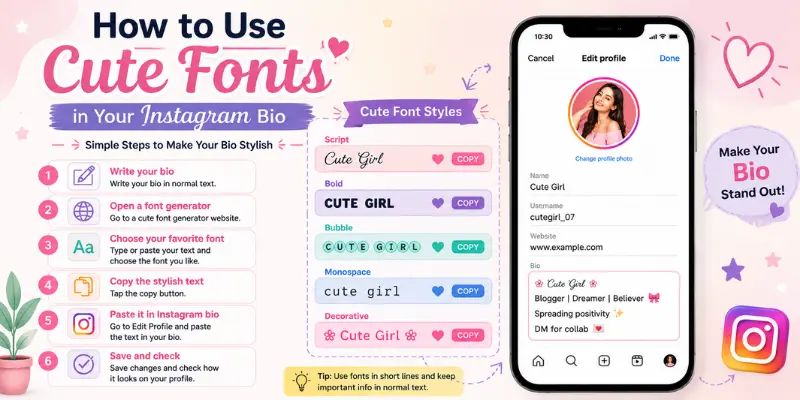
Using cute fonts in your cute fonts for Instagram bio is simple. You do not need design skills. You only need a font generator tool.
Follow these steps:
- Write your bio in normal text.
- Open a cute font generator.
- Paste your text into the tool.
- Choose a font style.
- Copy the styled text.
- Open Instagram.
- Go to your profile.
- Tap Edit Profile.
- Paste the text into your bio.
- Save your changes.
Before you save your bio, check it on your phone. Some fonts may look different on different devices. Some special letters may not appear correctly for all users.
A safe method is to style only one or two lines. For example:
𝓢𝓸𝓯𝓽 𝓛𝓲𝓯𝓮
Beauty | Lifestyle | Daily ideas
Follow for simple inspiration
This bio looks stylish, but it is still easy to read.
You can also add a natural internal link in your article like this:
Want to create your own stylish text? Try our cute font generator and copy your favorite bio font in seconds.
This type of link helps users and supports SEO.
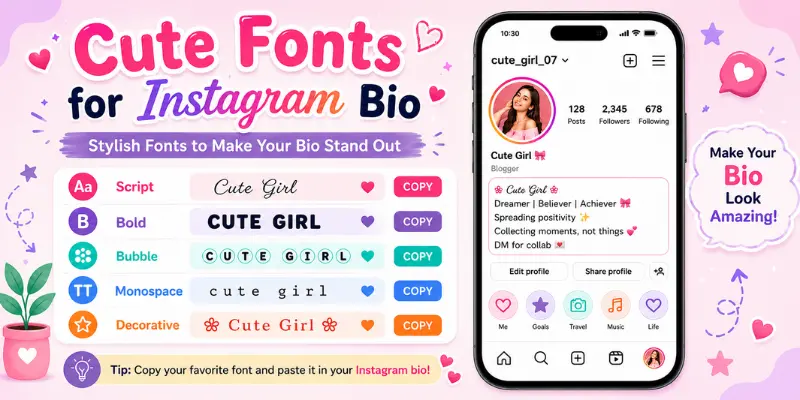
Cute Instagram Bio Font Examples
Here are some cute fonts for Instagram bio font examples. You can copy them, change the words, and use them for your profile.
Simple Cute Bio
𝒮𝑜𝒻𝓉 𝒽𝑒𝒶𝓇𝓉
Living little happy moments
Follow for daily vibes ♡
Aesthetic Bio
𝙲𝚊𝚕𝚖 𝚖𝚘𝚘𝚍
Simple photos
Soft life notes ☁
Beauty Bio
𝓑𝓮𝓪𝓾𝓽𝔂 𝓛𝓸𝓿𝓮𝓻
Makeup | Skincare | Lifestyle
Sharing simple beauty tips
Creator Bio
𝗖𝗼𝗻𝘁𝗲𝗻𝘁 𝗖𝗿𝗲𝗮𝘁𝗼𝗿
Daily ideas for beginners
DM for collab
Business Bio
𝓗𝓪𝓷𝓭𝓶𝓪𝓭𝓮 𝓢𝓱𝓸𝓹
Custom gifts available
Order through DM
Attitude Bio
𝗦𝘁𝗮𝘆 𝗿𝗲𝗮𝗹
No fake energy
Focused on my goals
Love Bio
𝒴𝑜𝓊 & 𝑀𝑒 ♡
Making memories
Forever us
Minimal Bio
𝙻𝚎𝚜𝚜 𝚗𝚘𝚒𝚜𝚎
More peace
Simple living
These examples use fancy fonts only in short parts. That keeps the bio clean.
Best Places to Use Stylish Fonts in Your Bio
You do not need to use stylish fonts in every line. In fact, using too much fancy text can make your bio look messy. The best bios use fonts in smart places.
Good places to use stylish fonts:
Name line
First bio line
Short quote
Brand name
One call-to-action line
For example:
𝓑𝓮𝓪𝓾𝓽𝔂 𝓑𝓵𝓸𝓰𝓰𝓮𝓻
Makeup | Skincare | Lifestyle
New tips every week
Follow for ideas
This works because the first line is stylish. The rest is simple and clear.
Another example:
𝗦𝗺𝗮𝗹𝗹 𝗕𝘂𝘀𝗶𝗻𝗲𝘀𝘀
Handmade gifts
Pakistan delivery
DM to order
For a business profile, keep product details in normal text. Customers should be able to read your services, price notes, delivery info, and order steps without trouble.
A strong bio should be useful. Cute text should add style, not confusion.
Common Mistakes to Avoid
Many people use cute fonts the wrong way. They add too many styles, too many symbols, or text that becomes hard to read. This can make a profile look weak instead of stylish.
Avoid these mistakes:
Using Too Many Font Styles
Do not use four or five font styles in one bio. It looks messy. Choose one main style and use it with care.
Bad example:
𝓑𝓮𝓪𝓾𝓽𝔂
ⓛⓘⓕⓔ
𝙳𝚊𝚒𝚕𝚢
𝗩𝗶𝗯𝗲𝘀
Better example:
𝓑𝓮𝓪𝓾𝓽𝔂 𝓛𝓸𝓿𝓮𝓻
Makeup | Skincare | Lifestyle
Styling the Full Bio
A full bio in fancy text can be hard to read. Style only the main line.
Adding Too Many Symbols
Symbols can look nice, but too many symbols make your bio look spammy.
Bad example:
꧁♡★☁𝓢𝓸𝓯𝓽 𝓖𝓲𝓻𝓵☁★♡꧂
Better example:
𝓢𝓸𝓯𝓽 𝓖𝓲𝓻𝓵 ♡
Making Contact Details Hard to Copy
Keep email, WhatsApp, and order details in normal text. Fancy characters can make contact info harder to copy.
Forgetting Your Main Message
Your bio should still tell people what your profile is about. Style is helpful only when the message stays clear.
Cute Fonts for Instagram Bio: Before and After Examples
A before-and-after format helps readers see how a small font change can improve a bio. You can also add a screenshot here in your blog post.
Example 1: Personal Profile
| Before | After |
| I love beauty and fashion | 𝓑𝓮𝓪𝓾𝓽𝔂 & 𝓕𝓪𝓼𝓱𝓲𝓸𝓷 Daily style ideas Follow for cute looks |
The after version looks cleaner. It also tells visitors what they will get.
Example 2: Creator Profile
| Before | After |
| I make content and help people | 𝗖𝗼𝗻𝘁𝗲𝗻𝘁 𝗖𝗿𝗲𝗮𝘁𝗼𝗿 Simple tips for beginners DM for collab |
The after version is direct and easy to scan.
Example 3: Business Profile
| Before | After |
| We sell handmade gifts | 𝓗𝓪𝓷𝓭𝓶𝓪𝓭𝓮 𝓖𝓲𝓯𝓽𝓼 Custom orders open DM to order |
The after version feels more polished, but the order details stay clear.
Suggested Images for This Section
Add a screenshot of your font generator tool.
Add a before-and-after cute fonts for Instagram bio image.
Add a small table image showing font styles.
Images help readers understand the steps faster. They also make the article more useful and easier to scan.
FAQs About Cute Fonts for Instagram Bio
What are cute fonts for Instagram bio?
Cute fonts for Instagram bio are stylish text styles that you can copy and paste into your Instagram profile. They help your bio look more creative and personal.
How do I add cute fonts to my Instagram bio?
Use a font generator tool. Type your text, choose a style, copy the result, and paste it into the Instagram bio section.
Are cute fonts safe for Instagram?
Yes, they are usually safe. But some fonts may not show correctly on every device. Always check your bio after saving it.
Should I use fancy fonts in my full bio?
No. It is better to use fancy fonts in short parts only. Use them for your name, first line, or a short quote.
Can cute fonts affect Instagram search?
They can. Some styled letters may not work like normal text for search. Keep main keywords and contact details in normal text.
Which font style is best for Instagram bios?
Bold and monospace fonts are best for readability. Script fonts look pretty but should be used for short lines only.
Can business pages use cute fonts?
Yes, business pages can use cute fonts for brand names or short taglines. Keep product details and order info in normal text.
Final Thoughts
Cute fonts can make your Instagram bio look stylish, soft, fun, or bold. They help your profile feel more personal and can make a simple line stand out.
But the best bio is still easy to read. Use fancy fonts only in short parts. Keep your main message clear. Add simple words that tell visitors who you are, what you share, and what they should do next.
For best results, use one font style, add clean line breaks, and avoid too many symbols. If you want a stylish bio fast, use a cute font generator, copy your favorite style, and paste it into Instagram.
A clean bio with the right font can make your profile look more attractive without making it hard to read.