
Sans Serif Font Generator – Create Clean, Modern Text Online
A sans serif font generator helps you turn plain text into clean, stylish, and easy-to-read text styles. You can use it for social media bios, captions, usernames, websites, digital designs, posters, and many other creative needs. The best part is that you do not need design skills or paid software. You type your text, choose a style, copy it, and paste it where you want.
Sans serif fonts are popular because they look simple and modern. They do not have small strokes at the ends of letters. This gives them a clean shape, which works well on screens, mobile apps, websites, and social media profiles. If you want text that looks clear, neat, and professional, a sans serif style is often a smart choice.
Many people use font generators because normal text can feel boring. A clean font style can make a profile name, brand title, quote, or caption stand out without looking messy. A sans serif font generator gives users a fast way to create text that feels fresh, simple, and attractive.
In this guide, you will learn what a sans serif font generator is, how it works, where to use it, its benefits, and how to choose the right style for your content.
What Is a Sans Serif Font Generator?
A sans serif font generator is an online tool that changes your normal text into different sans serif-inspired styles. You enter your words into the tool, and it shows many font styles that you can copy and paste.
The word “sans” means “without.” So, sans serif means letters without extra strokes or small lines at the edges. Fonts like Arial, Helvetica, Roboto, Open Sans, and Montserrat are common examples of sans serif fonts.
A font generator may not always create real font files like TTF or OTF. In many cases, it creates Unicode text. Unicode text works across many platforms because it uses special characters that look like styled letters. This means you can paste the text into Instagram, TikTok, WhatsApp, Facebook, X, Discord, and other places.
For example, normal text like this:
Clean Style
May become something more stylish, depending on the tool:
Clean Style
𝖢𝗅𝖾𝖺𝗇 𝖲𝗍𝗒𝗅𝖾
𝘊𝘭𝘦𝘢𝘯 𝘚𝘵𝘺𝘭𝘦
These styles can help your text look different while staying simple and readable.
Why Sans Serif Fonts Are So Popular
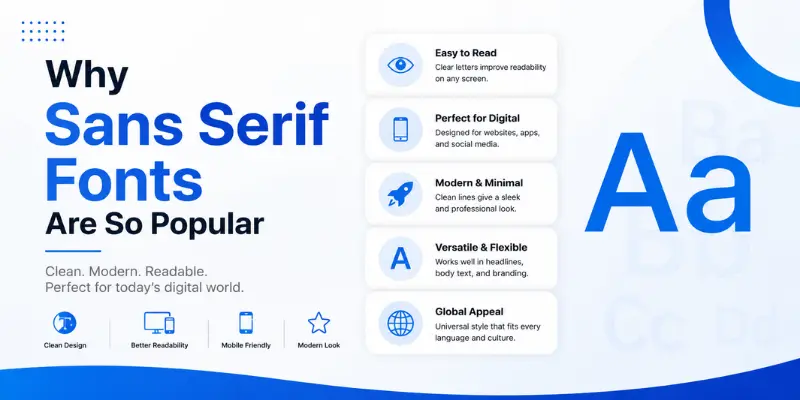
Sans serif fonts are popular because they are easy to read. They work well on small screens, which matters because most people use phones to browse websites and social media.
Serif fonts can look classic and formal. Sans serif fonts feel cleaner, lighter, and more modern. This makes them useful for digital content. Brands, bloggers, creators, and designers often use sans serif styles because they give a neat look without taking attention away from the message.
Here are some common reasons people like sans serif fonts:
They look clean.
They are easy to read.
They fit modern designs.
They work well on mobile screens.
They make text look fresh.
They are useful for both casual and professional content.
A sans serif font generator makes this style easy for everyone. You do not need to install fonts or open design software. You can create a clean style in seconds.
How a Sans Serif Font Generator Works
A font generator works in a very simple way. You type your text into the input box. The tool then changes that text into different styles using special characters or font effects. After that, you choose the style you like and copy it.
Most tools follow this process:
- Type your text.
- View different font styles.
- Pick the best style.
- Click copy.
- Paste it into your bio, caption, post, design, or message.
Some tools also let you add symbols, emojis, lines, or decorative marks. This can help you create a more complete style for your profile or design.
For example, you may create a clean Instagram bio like:
Digital Creator
Clean Ideas. Simple Design.
New posts every week.
Then you can style some parts with a sans serif look to make the bio more attractive.
The goal is not to make every word fancy. The goal is to make key parts stand out while keeping the text readable.
Best Uses of a Sans Serif Font Generator
A sans serif font generator can be useful in many places. You can use it for personal content, business pages, creative projects, and online branding.
1. Social Media Bios
Your bio is one of the first things people see. A clean font style can make it look neat and memorable.
You can use sans serif text for:
Instagram bio
TikTok bio
Facebook intro
X profile
Pinterest profile
YouTube channel description
Discord profile
For example:
Content Writer
Simple Tips for Better Blogs
New Guides Every Week
This kind of style looks clean and easy to read. It helps users know who you are and what you offer.
2. Instagram Captions
Captions can look better when you use clean font styles for short lines, quotes, or headings. You do not need to style the whole caption. Just style the opening line or main phrase.
Example:
New Week. Fresh Goals.
Then you can write the rest of the caption in normal text. This keeps the post readable while making the first line stand out.
3. Usernames and Display Names
Many users want unique names for social profiles. A sans serif style can make a name look simple but different.
Example ideas:
CleanCreator
StyleNotes
ModernText
SimpleStudio
DailyDesign
A font generator can help you test how your name looks in different styles before using it.
4. Website Headings
If you run a blog, tool website, or personal portfolio, sans serif fonts can make headings look modern. For actual website design, it is better to use real web fonts through CSS. But a generator can help you test ideas or create styled text for graphics.
For websites, clean fonts work well for:
Hero headings
Buttons
Short banners
Feature labels
Call-to-action text
A simple heading often performs better than a hard-to-read fancy style.
5. Digital Posters and Graphics
Sans serif text is a strong choice for posters, thumbnails, flyers, and social media graphics. It makes the message clear.
You can use generated styles for:
Quote images
Event posters
YouTube thumbnails
Pinterest pins
Promotional banners
Story graphics
For best results, keep the design simple. Use short text and leave enough space around it.
6. Brand Names and Logos
Many modern brands use sans serif fonts because they look clean and easy to remember. A font generator can help you test how a brand name might look in a simple style.
It can help with early ideas for:
Logo text
Brand names
Slogans
Taglines
Product names
For final brand design, you may still need a real font file and proper design tool. But for quick ideas, a generator is very helpful.
Benefits of Using a Sans Serif Font Generator
A sans serif font generator saves time and gives you many creative options. It is useful for beginners, bloggers, social media users, and small business owners.
Fast and Easy to Use
You do not need to learn design. You type, copy, and paste. This makes it simple for anyone who wants stylish text without extra work.
No Software Needed
You do not need Photoshop, Illustrator, or font editing tools. Most generators work in your browser. You can use them on a phone, tablet, or laptop.
Good for Social Media
Social media is crowded. Clean styled text can help your profile or post look better. It can make key lines more noticeable.
Helps with Branding
If you want a clean online style, sans serif text can support that. It gives your content a simple and modern look.
Many Styles in One Place
A good tool gives many options. You can compare styles and choose the one that fits your purpose.
Copy and Paste Ready
Most generated text can be copied right away. This is useful for bios, captions, names, and short messages.
Sans Serif vs Serif Fonts
To choose the right font style, it helps to know the difference between serif and sans serif fonts.
Serif fonts have small strokes at the ends of letters. They often look classic, formal, and traditional. Examples include Times New Roman, Georgia, and Garamond.
Sans serif fonts do not have those strokes. They look cleaner and simpler. Examples include Arial, Helvetica, Roboto, and Open Sans.
Serif fonts are often used in books, newspapers, and formal designs. Sans serif fonts are common on websites, apps, and social media because they are easier to read on screens.
Here is the simple difference:
Serif font: classic and formal
Sans serif font: clean and modern
If your goal is a fresh digital look, sans serif is usually the better choice.
How to Choose the Best Sans Serif Style
A font style should match your purpose. A style that looks good for a quote may not work for a business profile. Here are a few simple tips.
Keep It Readable
Do not choose a style that is hard to read. If people cannot read your text quickly, they may ignore it. Clean text should look good and stay clear.
Match Your Tone
For a personal profile, you can use a soft or playful style. For a business page, choose something simple and professional.
Avoid Overusing Styled Text
Use generated fonts for short parts only. If you style every line, the content can look messy. Use it for names, headings, short quotes, or key phrases.
Test Before Posting
Some platforms may not show every Unicode character correctly. Always paste the text and check how it looks before saving or publishing.
Use Symbols Carefully
Symbols can make text look nice, but too many symbols can make it look spammy. Keep the layout clean.
Best Places to Use Sans Serif Generated Text
You can use generated text in many online spaces, but results may vary by platform. Here are some common places where users paste styled text:
Instagram bio
Instagram captions
TikTok bio
TikTok captions
WhatsApp about section
Facebook posts
X profile name
Discord status
YouTube channel bio
Pinterest descriptions
Gaming names
Short quotes
Profile headings
For longer blog posts or website pages, use normal text for better reading and SEO. Generated Unicode text is better for short decorative use.
Is Generated Font Text Good for SEO?
This is an important point for website owners. Generated Unicode text may look stylish, but search engines may not read it the same way as normal text. So, you should not use generated text for main SEO headings, article titles, or important keywords on your website.
For SEO content, keep your main text in normal readable format. Use generated text only for design elements, examples, or social media content.
For example, if your page targets “sans serif font generator,” your main heading and body text should use normal characters. This helps search engines and users read your page clearly.
Generated text is useful, but it should support your content. It should not replace normal text in important areas.
Common Mistakes to Avoid
A font generator is easy to use, but many people make small mistakes that can hurt the final look.
Using Too Many Styles
Mixing too many font styles can make your text look confusing. Pick one or two styles and keep the layout clean.
Making Text Hard to Read
Some styles look cool but are hard to read. Choose clarity over decoration.
Using Styled Text for Long Paragraphs
Generated fonts work best for short text. Long paragraphs should stay normal.
Ignoring Mobile View
Most users will see your text on a phone. Check how your styled text appears on mobile before using it.
Adding Too Many Symbols
Symbols can help, but too many can look unprofessional. Use them with care.
Using It in Important SEO Text
Do not use Unicode styled text for page titles, meta titles, or main content keywords. Normal text is better for search engines.
Tips for Better Results
Here are some practical tips to get better results from a sans serif font generator.
Start with short text.
Choose clean styles first.
Use styled text for headings or names.
Keep normal text for full sentences.
Check the final look on your phone.
Use spacing to make text neat.
Do not overdecorate.
Pick styles that match your brand or profile.
A simple style often looks better than a crowded one. Clean text feels more professional and easier to trust.
Example Ideas for Sans Serif Text
Here are some ideas you can create with a font generator.
For Instagram Bio
Digital Creator
Clean Content Daily
Simple Ideas. Better Results.
For TikTok Bio
Daily Style Tips
Clean Looks. Easy Ideas.
Follow for More
For Business Page
Modern Design Studio
Simple Branding for Small Businesses
Clean Ideas That Work
For Personal Brand
Writer | Blogger | Creator
Sharing Simple Tips
New Posts Every Week
For Quotes
Less Noise. More Focus.
Simple Looks Better.
Create More. Worry Less.
These examples are short, clear, and easy to style.
Who Should Use a Sans Serif Font Generator?
This tool is useful for many types of users.
Content creators can use it for bios, captions, and post headings.
Bloggers can use it for social posts and graphics.
Small business owners can use it for brand text ideas.
Students can use it for creative projects.
Designers can use it for quick style testing.
Gamers can use it for clean usernames.
Influencers can use it to improve profile style.
Anyone who wants clean and modern text can use this type of tool.
Are Sans Serif Font Generators Free?
Many sans serif font generator tools are free. You can type your text, test styles, copy the result, and use it without paying. Some tools may show ads. Others may offer extra features.
A good free tool should be simple, fast, and easy to use. It should work well on mobile and desktop. It should also provide many styles without making the page confusing.
Before using any tool, check if it gives copy-paste text and if the text works on your chosen platform.
What Makes a Good Sans Serif Font Generator?
A good font generator should be simple and useful. It should not make users work too hard.
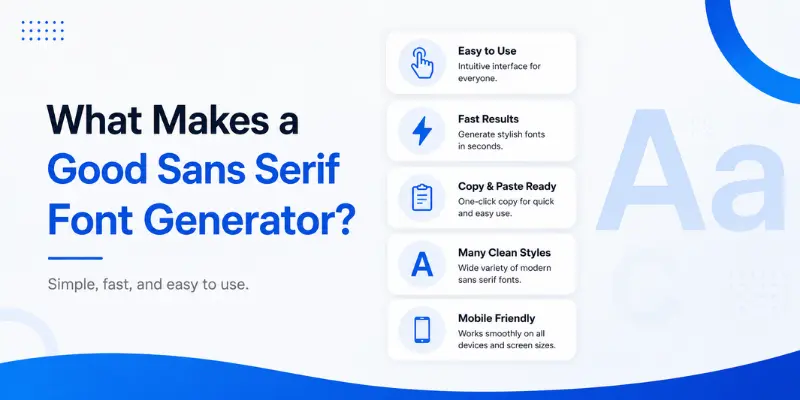
Look for these features:
Clean interface
Fast text conversion
Many font styles
One-click copy option
Mobile-friendly layout
No signup needed
Clear preview
Useful symbols and extras
Easy reset option
The tool should help users create stylish text quickly. If it feels slow or confusing, people may leave.
Why Clean Fonts Work Better Online
Online readers move fast. They scan pages, captions, and profiles before deciding what to read. Clean fonts make this easier.
A sans serif style helps your text feel simple and direct. It removes visual noise. That is why many apps, websites, and brands use sans serif fonts for digital screens.
Clean fonts also help with trust. If your profile or page looks neat, users may take it more seriously. This matters for creators, bloggers, freelancers, and businesses.
A stylish font is good, but clear text is better. The best result comes from a balance of style and readability.
FAQs About Sans Serif Font Generator
1. What is a sans serif font generator?
A sans serif font generator is an online tool that changes normal text into clean and modern font styles. You can copy the styled text and paste it into social media bios, captions, usernames, or designs.
2. Can I use generated sans serif text on Instagram?
Yes, you can use it on Instagram bios, captions, comments, and profile names. Always check the preview after pasting because some characters may look different on some devices.
3. Is a sans serif font generator free?
Many font generators are free to use. You can type your text, choose a style, copy it, and paste it without paying.
4. Are generated fonts real fonts?
Most online font generators use Unicode characters, not real font files. The text looks styled, but it is made from special characters that work on many platforms.
5. Is generated text good for SEO?
Generated text is not ideal for main SEO content. Use normal text for headings, titles, and article content. Use generated styles for short decorative text or social media use.
6. Where can I use sans serif generated text?
You can use it on Instagram, TikTok, WhatsApp, Facebook, X, Discord, Pinterest, YouTube bios, gaming names, and short design text.
7. What is the difference between serif and sans serif fonts?
Serif fonts have small strokes at the ends of letters. Sans serif fonts do not have those strokes. Sans serif fonts look cleaner and more modern, especially on screens.
Final Thoughts
A sans serif font generator is a simple tool for creating clean, modern, copy-paste text. It is useful for social media bios, captions, usernames, digital graphics, brand ideas, and short text styles.
Sans serif fonts are popular because they look neat and easy to read. They work well on phones, websites, apps, and social platforms. A generator makes this style easy for everyone, even if you have no design skills.
Use generated text with care. Keep it short, readable, and clean. Avoid using it for long paragraphs or important SEO text. When used in the right way, it can make your content look more polished without making it hard to read.
If you want a simple way to create modern-looking text, a sans serif font generator is a helpful tool to try.