<!doctype html>
Cute Fonts Generator
Type your text and copy stylish fonts for Instagram, TikTok, Discord, bios, captions, and usernames.
About This Cute Fonts Generator
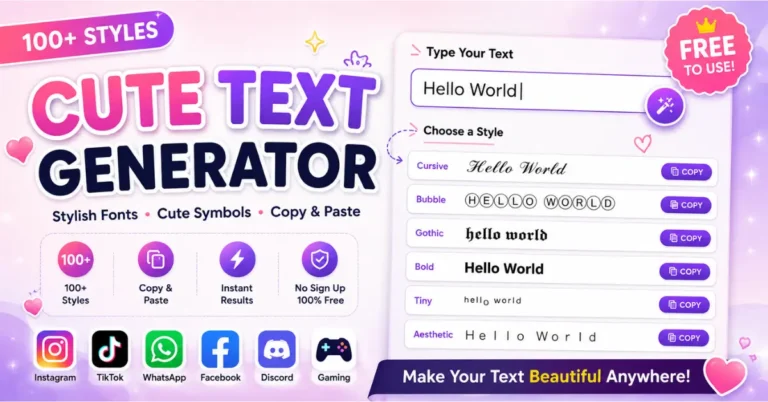
This Cute Fonts Generator helps you change normal text into stylish, fancy, and creative text styles. You can type your words once and get many cute font options that are ready to copy. It is useful for Instagram bios, TikTok captions, Facebook posts, WhatsApp status, Discord names, gaming profiles, and short messages.
The styles you see in this tool are made with Unicode characters. They are not font files that you need to install on your phone or computer. Because of this, you can copy the generated text and paste it into many apps, websites, and social media platforms.
This page is made for users who want a quick and simple way to make their text look different. You do not need design skills, coding knowledge, or any special software. Just type, copy, and paste.
How to Use the Cute Fonts Generator
Using the tool is very easy. Start by typing your name, caption, bio, quote, or message in the text box. The tool will create different cute font styles below the box. You can scroll through the styles, choose the one you like, and click the copy button.
- Type your text in the input box.
- Look at the generated font styles.
- Click the copy button next to your favorite style.
- Paste the copied text into your profile, post, caption, or message.
For the best result, keep your text short. Cute fonts look better on names, headings, short bios, and small captions. Long paragraphs can become hard to read when too many fancy characters are used.
Where You Can Use Cute Fonts
You can use cute fonts in many places where copied Unicode text is allowed. Most people use these styles to make their online profiles look more personal and fun. They can also help a short line stand out without using images or extra editing apps.
- Instagram bio, captions, comments, and highlight names
- TikTok profile names, captions, and comments
- Facebook posts, profile names, and page text
- WhatsApp status, names, and short messages
- Discord usernames, server names, and channel text
- YouTube descriptions, comments, and channel names
- Pinterest titles, profile text, and pin descriptions
- Gaming usernames, clan names, and profile names
Why Cute Fonts Are Popular
Cute fonts are popular because they make simple text look more stylish. A plain name or caption can look more creative with a soft, bold, cursive, bubble, or symbol-based style. Many users like these fonts because they help their social media profile feel different from normal text.
They are also quick to use. You do not need to open a design app or create an image. The generated text can be copied in seconds and used anywhere that supports these characters.
Best Ways to Use Cute Text Styles
For Instagram Bios
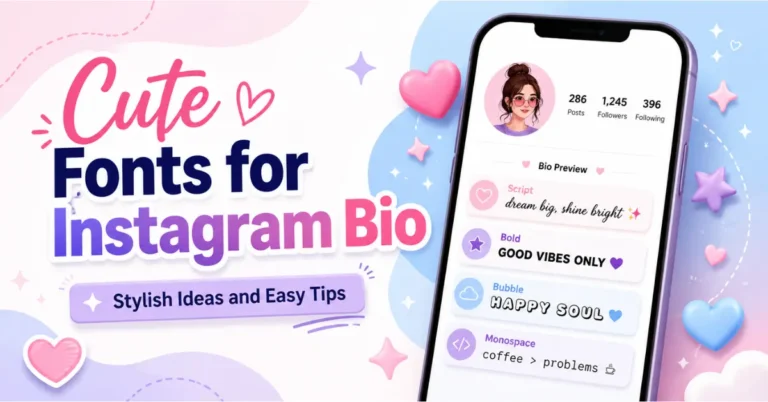
A short stylish line in your Instagram bio can make your profile look cleaner and more personal. You can use a cute font for your name, a small quote, or a short intro line.
For Captions and Comments
Cute fonts work well for short captions, birthday wishes, friendly comments, and aesthetic quotes. They can make a simple line look more expressive.
For Usernames and Nicknames
You can test different styles before choosing a username or nickname. Some apps may not accept every special character, so it is good to copy the style and check it before saving your name.
For Gaming Profiles
Many gamers use stylish text for player names, clan names, and profile bios. Simple decorative styles can make a name look more unique while still staying readable.
Tips for Better Results
- Use short words or short lines.
- Choose a style that is easy to read.
- Do not add too many symbols in one name.
- Use clean styles for professional profiles.
- Use decorative styles for fun posts and casual profiles.
- Check the text on mobile before final use.
If a style does not show correctly on your device, try another one. Some phones, browsers, and apps support Unicode characters differently. This is normal and does not mean the tool is broken.
Are These Real Fonts?
These are Unicode text styles, not normal font files like Arial, Poppins, or Times New Roman. A normal font changes how letters look on one website or device. Unicode text uses special characters that can be copied and pasted as text.
This is why the generated styles can work across many platforms. Still, some apps may block or change a few characters, so always check your final text after pasting it.
Privacy and Safety
You should avoid typing private information such as passwords, bank details, personal IDs, or private messages into any online tool. For names, captions, bios, and public text, this generator is simple and safe to use.
Frequently Asked Questions
What is a cute fonts generator?
A cute fonts generator is an online tool that changes normal text into stylish Unicode text. You can copy the result and paste it into bios, captions, comments, messages, and usernames.
Is this tool free?
Yes, this tool is free to use. You can generate stylish text and copy it without creating an account.
Can I use these fonts on Instagram?
Yes, many styles work in Instagram bios, captions, names, and comments. If one style does not show correctly, try another style from the list.
Do I need to install anything?
No. You do not need to install an app or font file. The tool works online and gives you copyable text.
Why do some characters show as boxes?
This can happen when a device or app does not support a specific Unicode character. Pick a simpler style if this happens.
Can I use cute fonts for usernames?
Yes, but some platforms may not accept every special character. Paste the style into the username field first and check if the app allows it.
Are cute fonts good for long paragraphs?
Cute fonts are better for short text. For long articles or full paragraphs, normal readable text is usually better.
Can I use this tool on mobile?
Yes, the tool is mobile-friendly. You can type, copy, and paste text from your phone.